$17 One-time · Schedule E · Excel & Sheets
Rental property spreadsheet with a live dashboard, organized by Schedule E line.
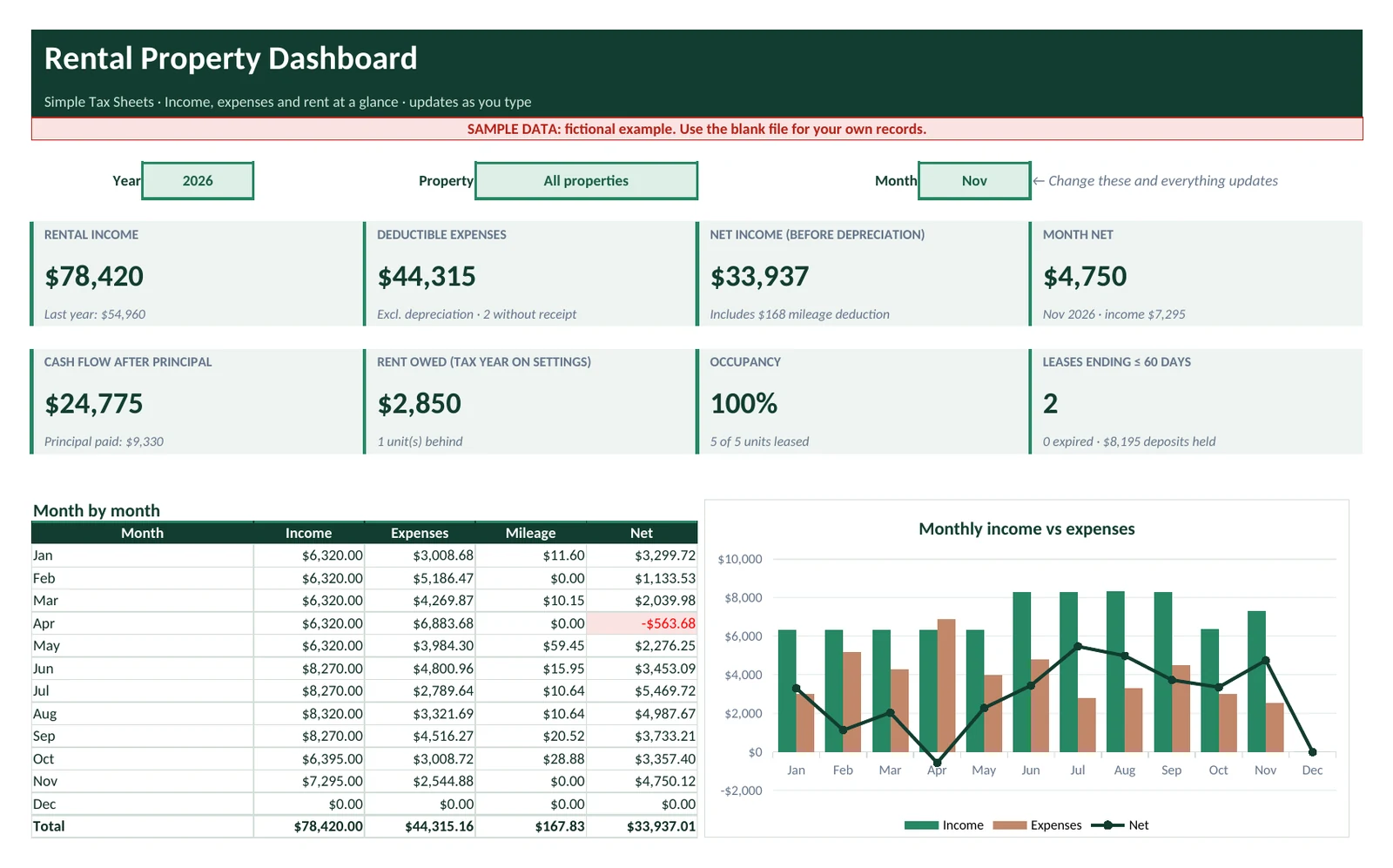
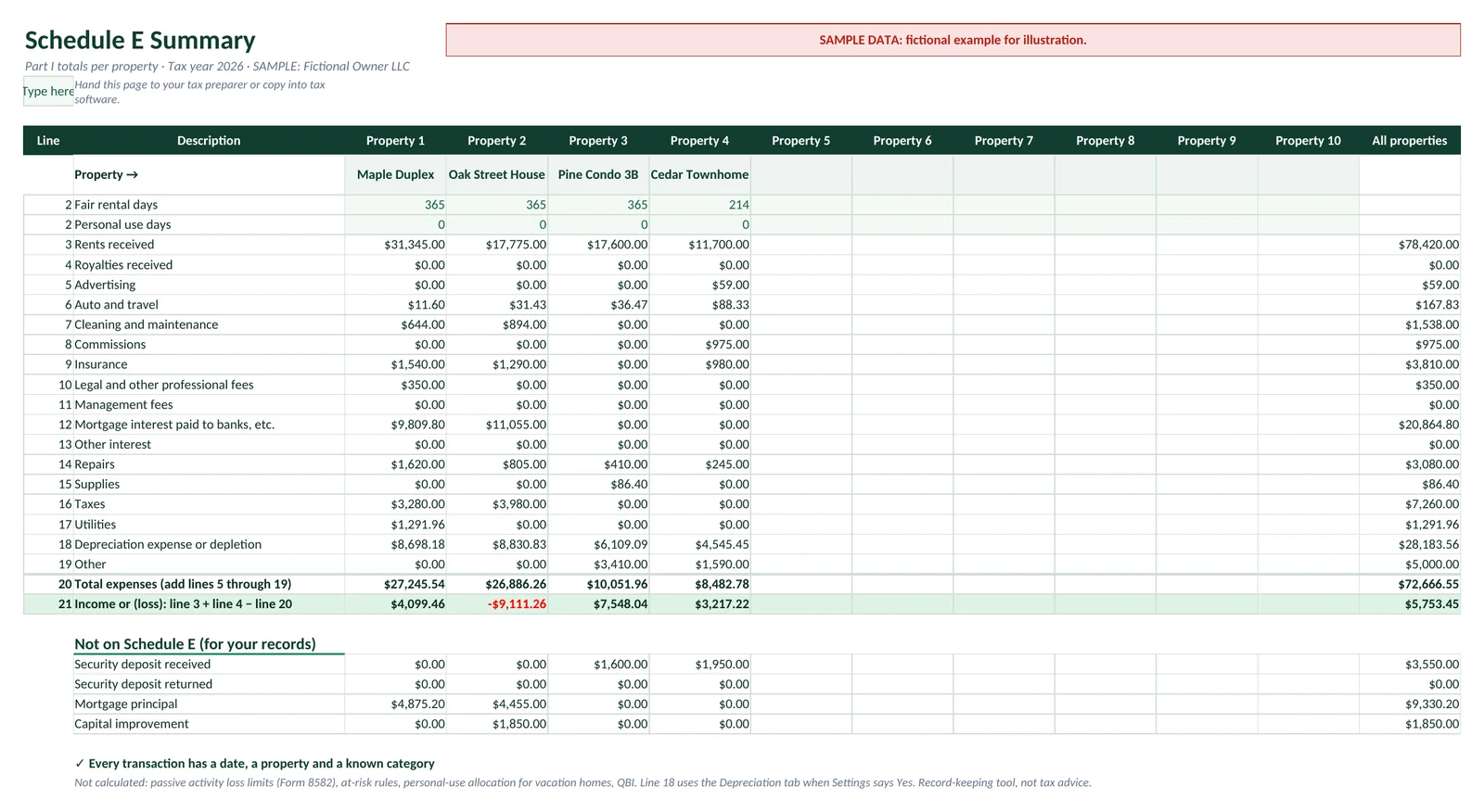
Track rent, expenses, mileage and depreciation for 1–10 properties. Pick a year, property and month on the dashboard and the cards and charts update (the rent-owed card follows the tax year on Settings). At tax time, the Schedule E tab has every line for every property.
Also need the Freelancer & 1099 Tax Tracker? Get both for $25 (save $7).
- Excel 2016+ (Windows & Mac)
- Google Sheets via import
- No macros
Look inside
Every sheet, with sample data.
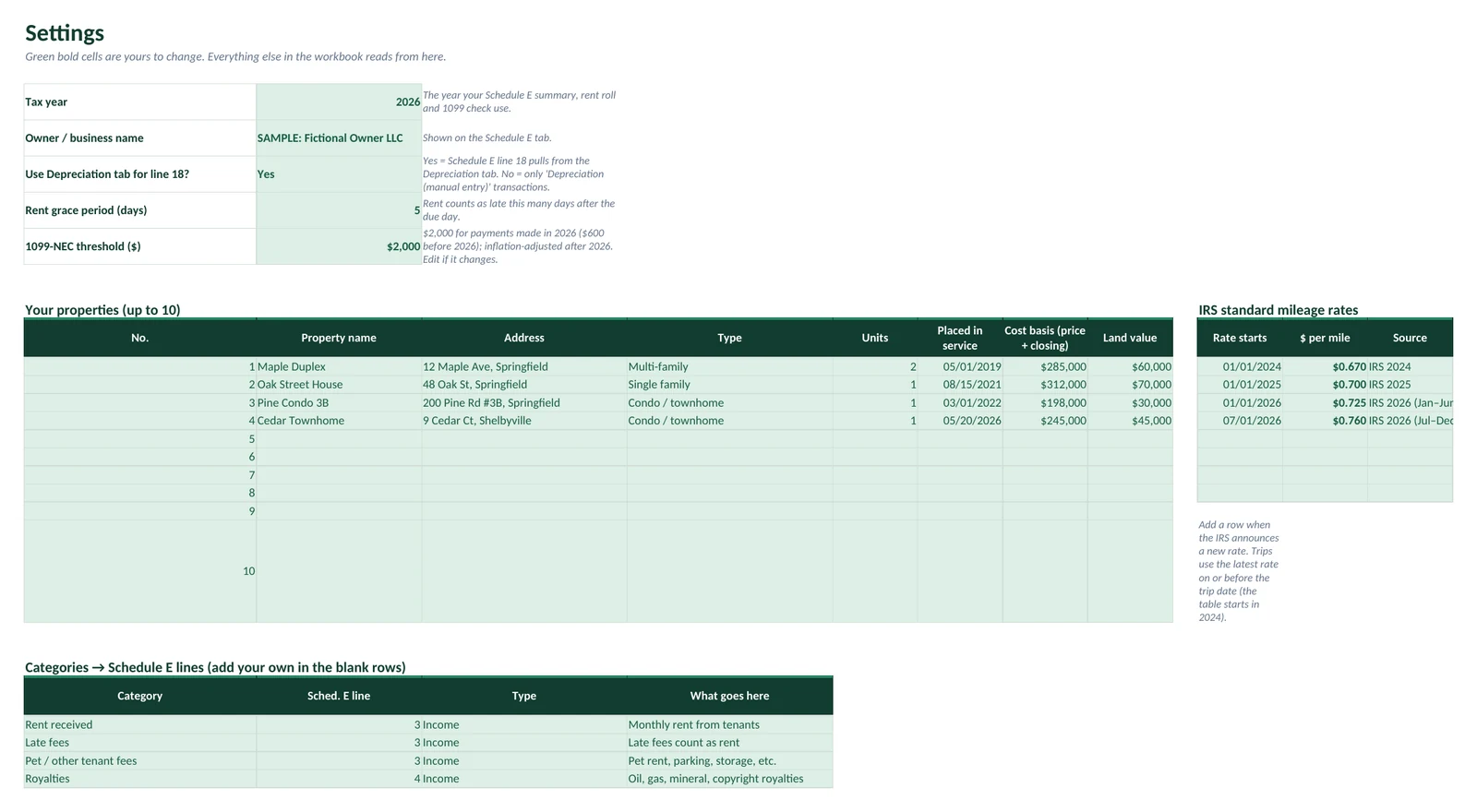
Real screenshots of the included sample file (fictional numbers). Scroll sideways for more.
Features
What it does for you
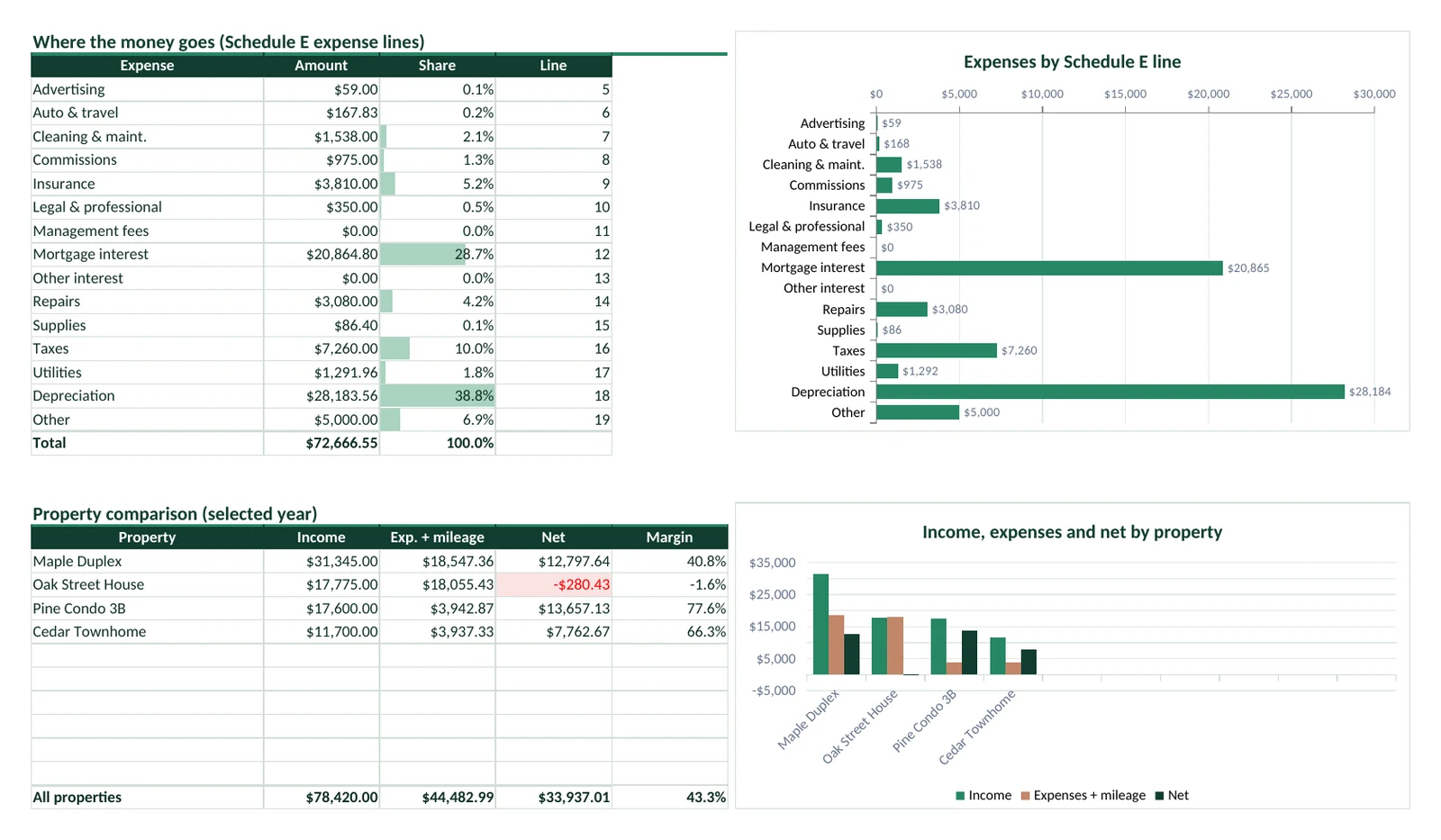
- Dashboard with year / property / month dropdowns: KPI cards plus charts for monthly income vs expenses, expense breakdown and property comparison
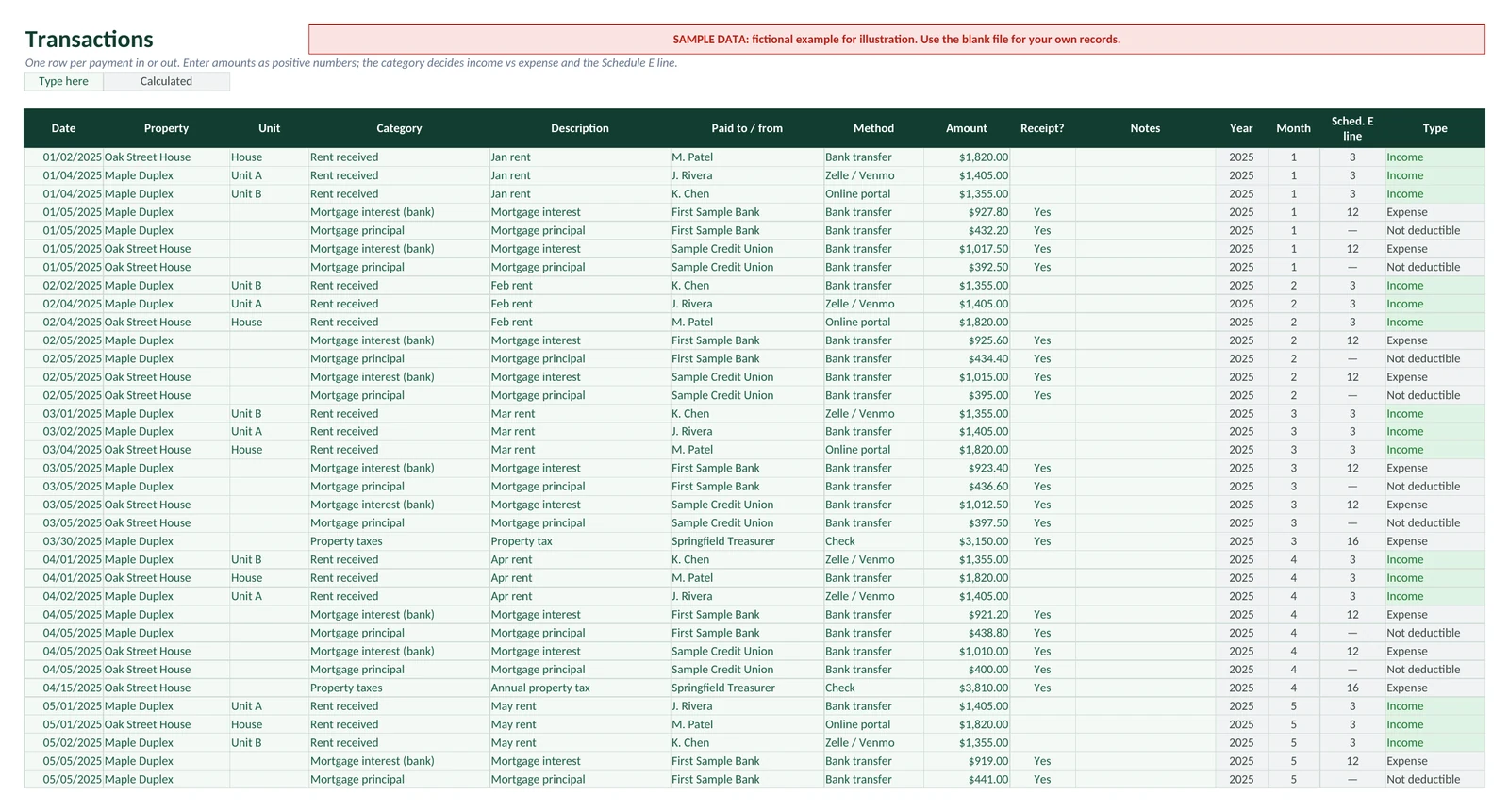
- Transactions table with dropdown categories mapped to Schedule E lines 3–19; deposits, mortgage principal and improvements tracked but kept out of income and expenses
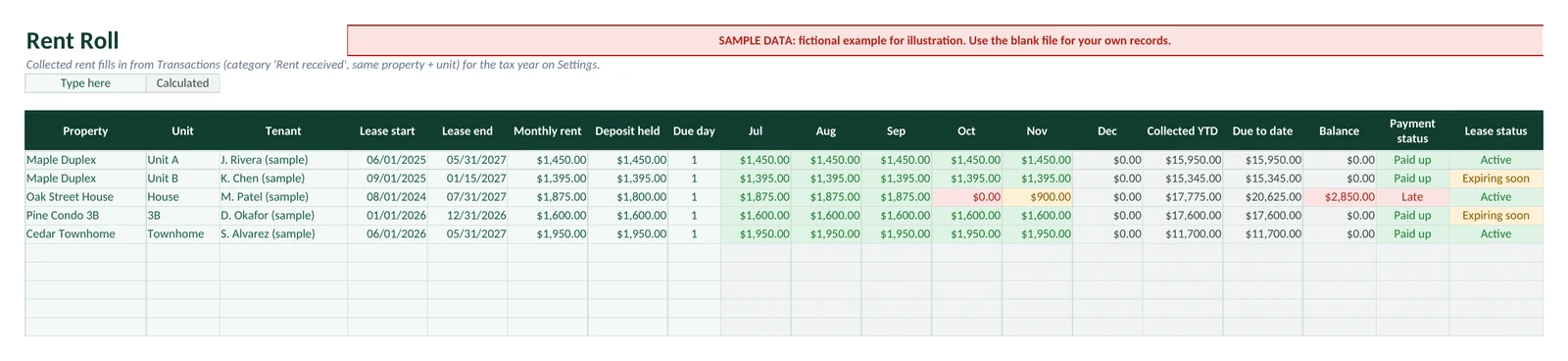
- Rent roll fills in collected rent from your transactions, colors each month paid / partial / missed, and flags late balances and leases ending within 60 days
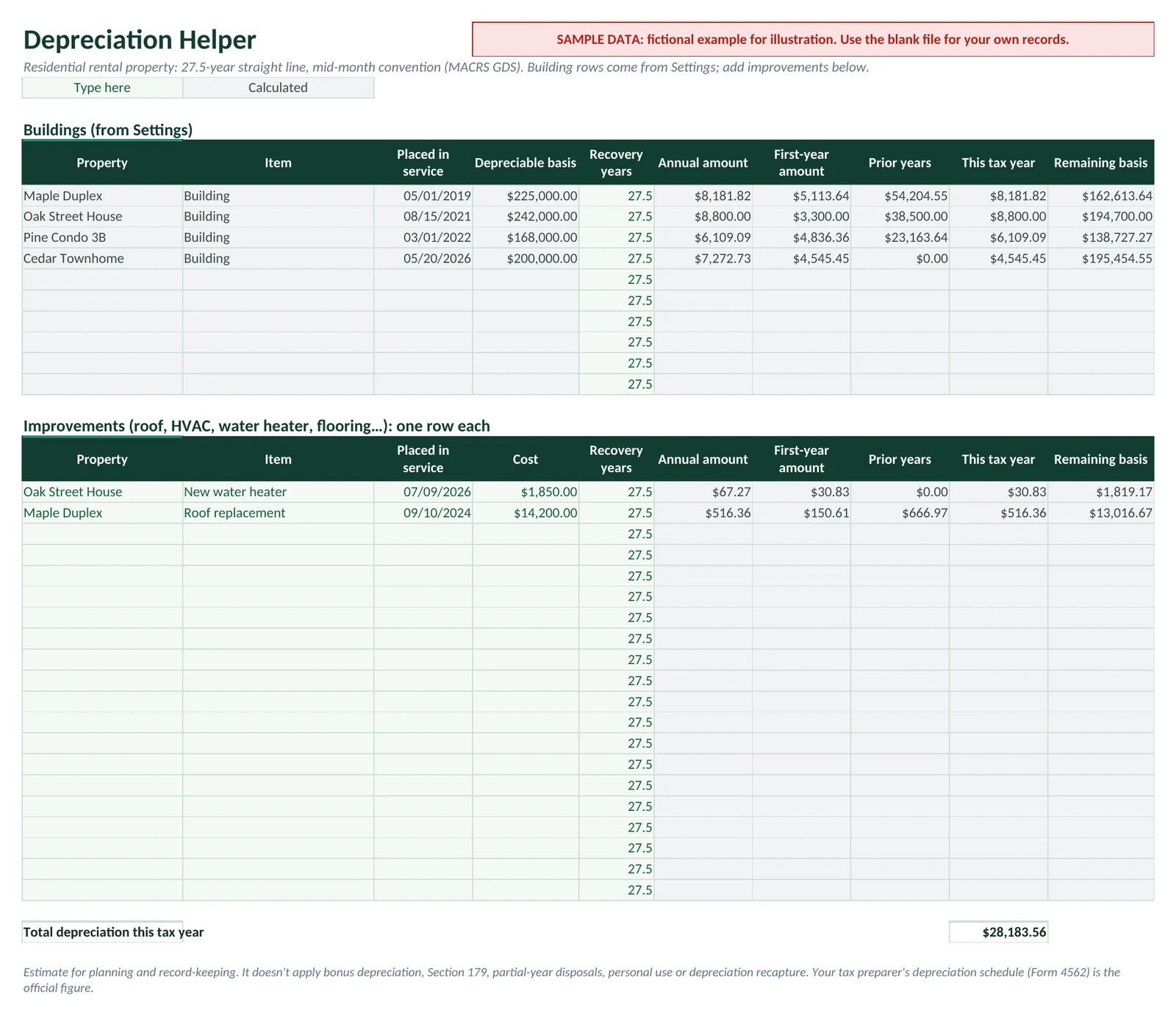
- Depreciation helper: 27.5-year straight line with the mid-month convention for buildings and improvements, feeding line 18 (optional)
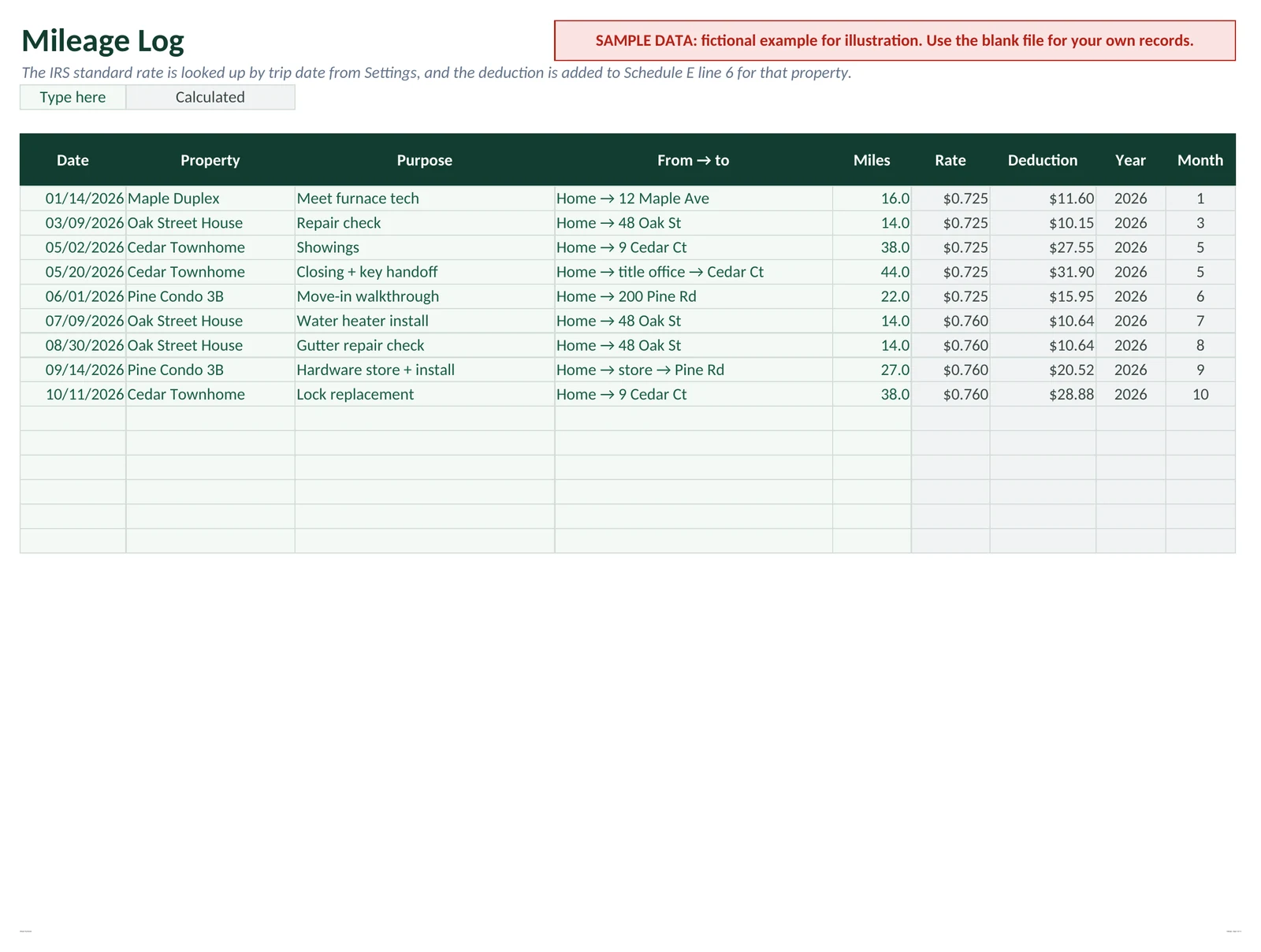
- Mileage log uses the IRS standard rate for each trip date; rates are editable on Settings
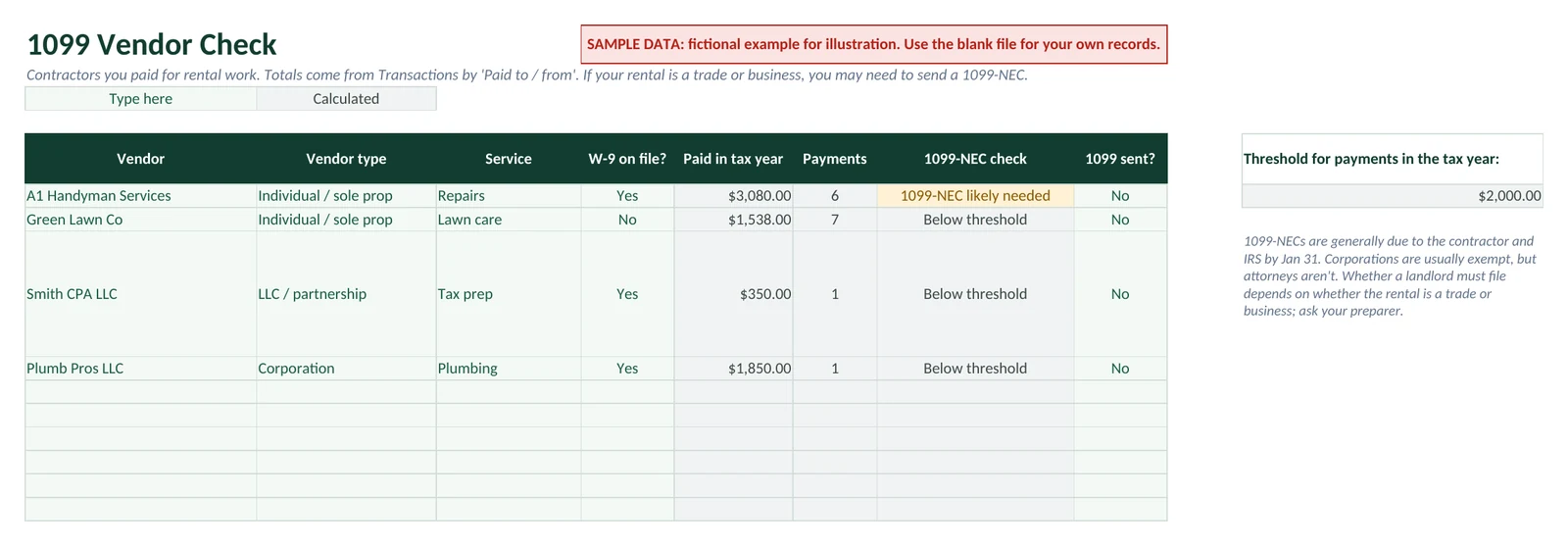
- 1099 vendor list flags contractors you paid at or above the editable 1099-NEC threshold ($2,000 from 2026)
- Light-green input cells, grey locked formulas (no password), dropdowns and date checks so typos can’t break totals
- Room for 1,000 transactions, 40 units, 400 trips and 10 properties per file; the year selectors handle multiple years
- Blank file plus a filled-in sample with fictional data
What's inside
10 tabs, one workbook
Compatibility
Built for Excel. Works in Google Sheets.
Plain .xlsx files with standard formulas: no macros, no add-ins, no internet connection needed once downloaded.
Microsoft Excel
Excel 2016 or newer on Windows and Mac, including Microsoft 365. Works offline.
Google Sheets
Open the .xlsx from Google Drive or use File > Import. Formulas carry over; Excel table styling and sheet protection may not.
LibreOffice Calc
Every formula is recalculated in LibreOffice before release, with zero formula errors.
Apple Numbers
Not tested. Numbers may not handle every formula or chart, so use Excel or Google Sheets.
How we check: before each release, every workbook is recalculated in LibreOffice with zero formula errors, and every function it uses is checked against what Excel 2016+ and Google Sheets support. We haven't tested every version of Excel by hand, so if something doesn't work as described, email support@simpletaxsheets.com and we'll fix it or refund you.
Questions
Before you buy
Will it do my taxes?
No. It organizes your records so the totals line up with Schedule E. Passive-loss limits, personal-use rules and your official depreciation schedule are for you and your preparer.
How many properties?
Up to 10 in one file, with 1,000 transactions, 40 units and 400 trips. The Schedule E tab shows every property side by side.
Does it work in Google Sheets?
It's built for Microsoft Excel (2016 or newer, Windows and Mac). In Google Sheets, upload the .xlsx to Drive and open it with Google Sheets, or use File > Import. It uses only standard functions and no macros, so the formulas carry over; Excel-only niceties like table styling and sheet protection may not. If anything looks off, email us and we'll fix it or refund you.
Is it a subscription?
No. One payment, and the files are yours. When IRS rates or line numbers change, we post an updated file, free for past buyers through their Gumroad library.
What do I get?
An instant download with two .xlsx files: a blank Rental Property Tracker for your own records and a filled-in sample with fictional data.
Refunds?
If a template doesn't work as described (for example, a formula is broken), email us within 30 days and we'll fix it or refund you in full. Full details are in our terms & refund policy.
Get the Rental Property Tracker
$17 once. Instant download, blank file plus a filled-in sample.
Or both trackers: $32 → $25 Save $7
These templates were built carefully with the help of AI tools, reviewed by Simple Tax Sheets, and are expected to be accurate. They are record-keeping tools only, not tax, legal or accounting advice. Tax rules change and we can't guarantee every result, so please check your figures and consult a qualified tax professional before filing. Full terms.