$15 One-time · Schedule C · Excel & Sheets
Freelancer tax spreadsheet with a live dashboard and quarterly estimates built in.
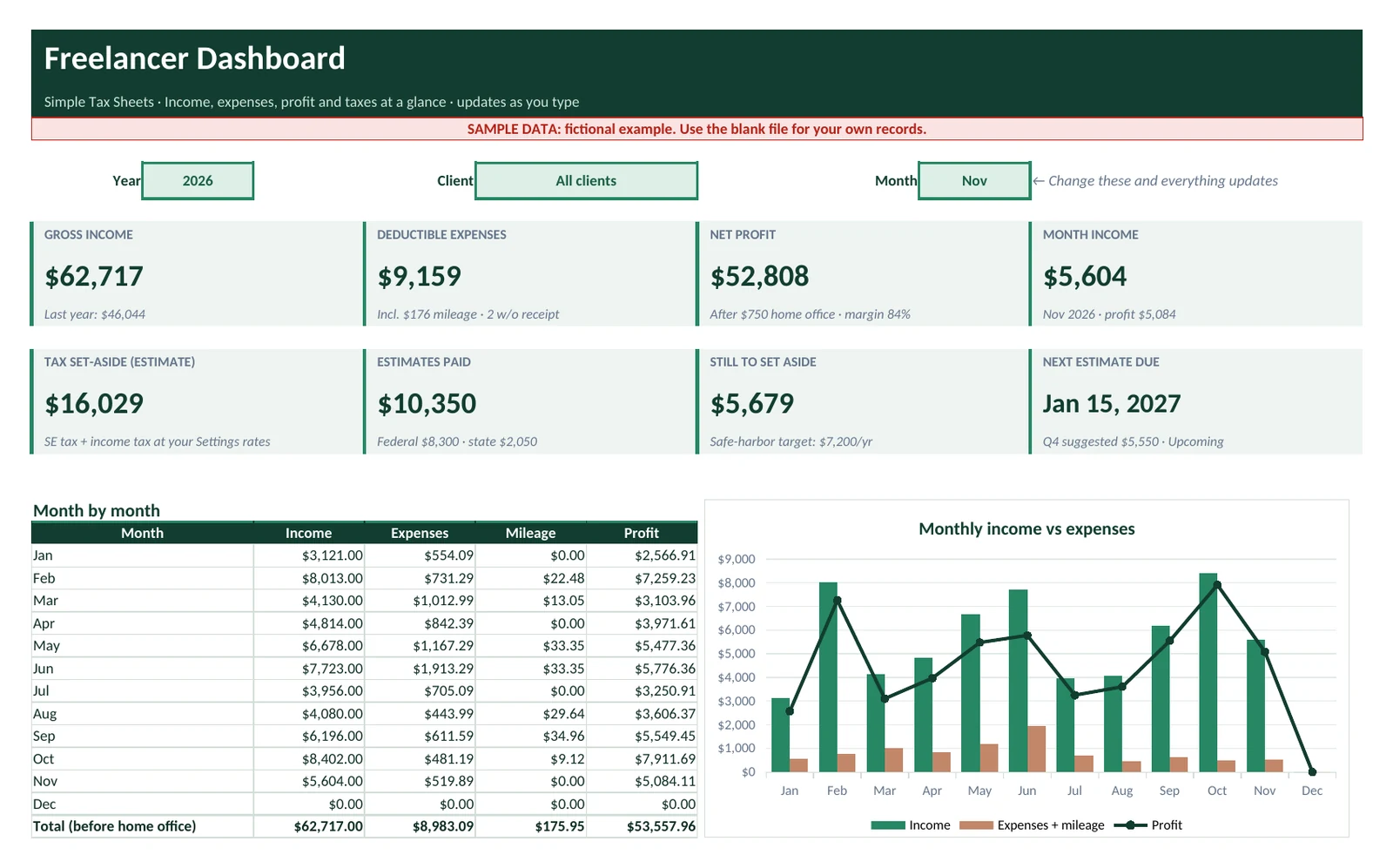
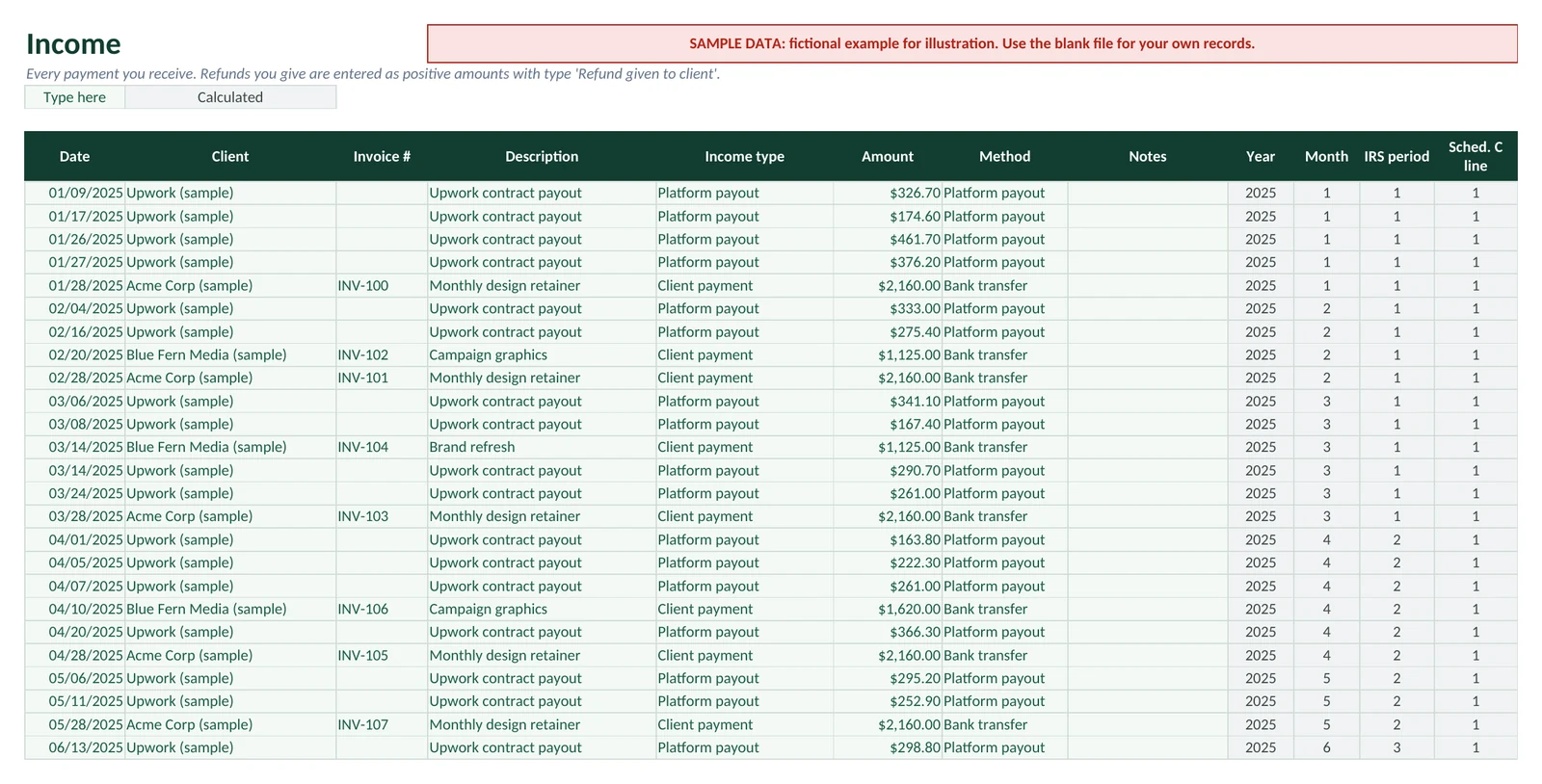
Log income and expenses as you go. Pick a year, client and month on the dashboard to see your numbers, then check Schedule C totals and what to set aside before each estimated-tax deadline.
Also need the Rental Property Tracker? Get both for $25 (save $7).
- Excel 2016+ (Windows & Mac)
- Google Sheets via import
- No macros
Look inside
Every sheet, with sample data.
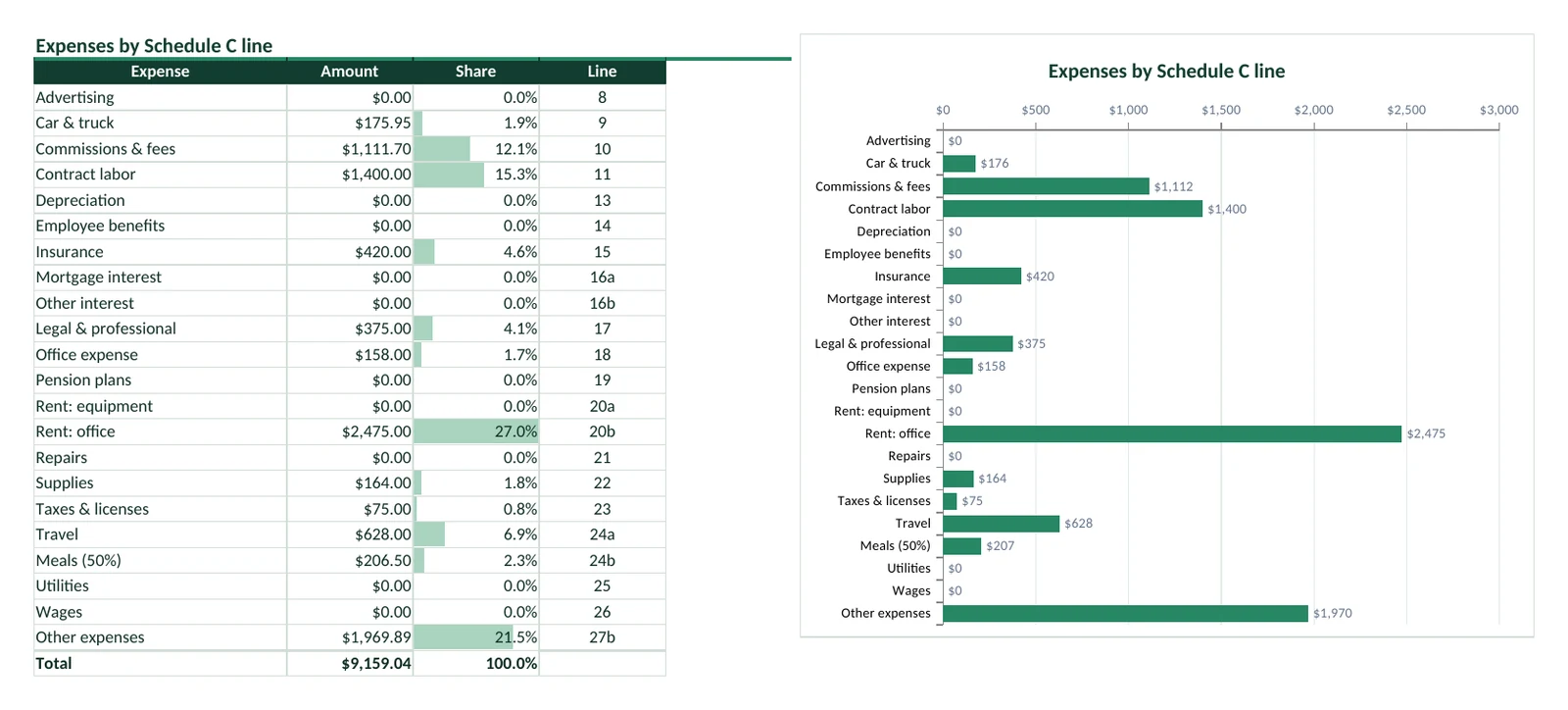
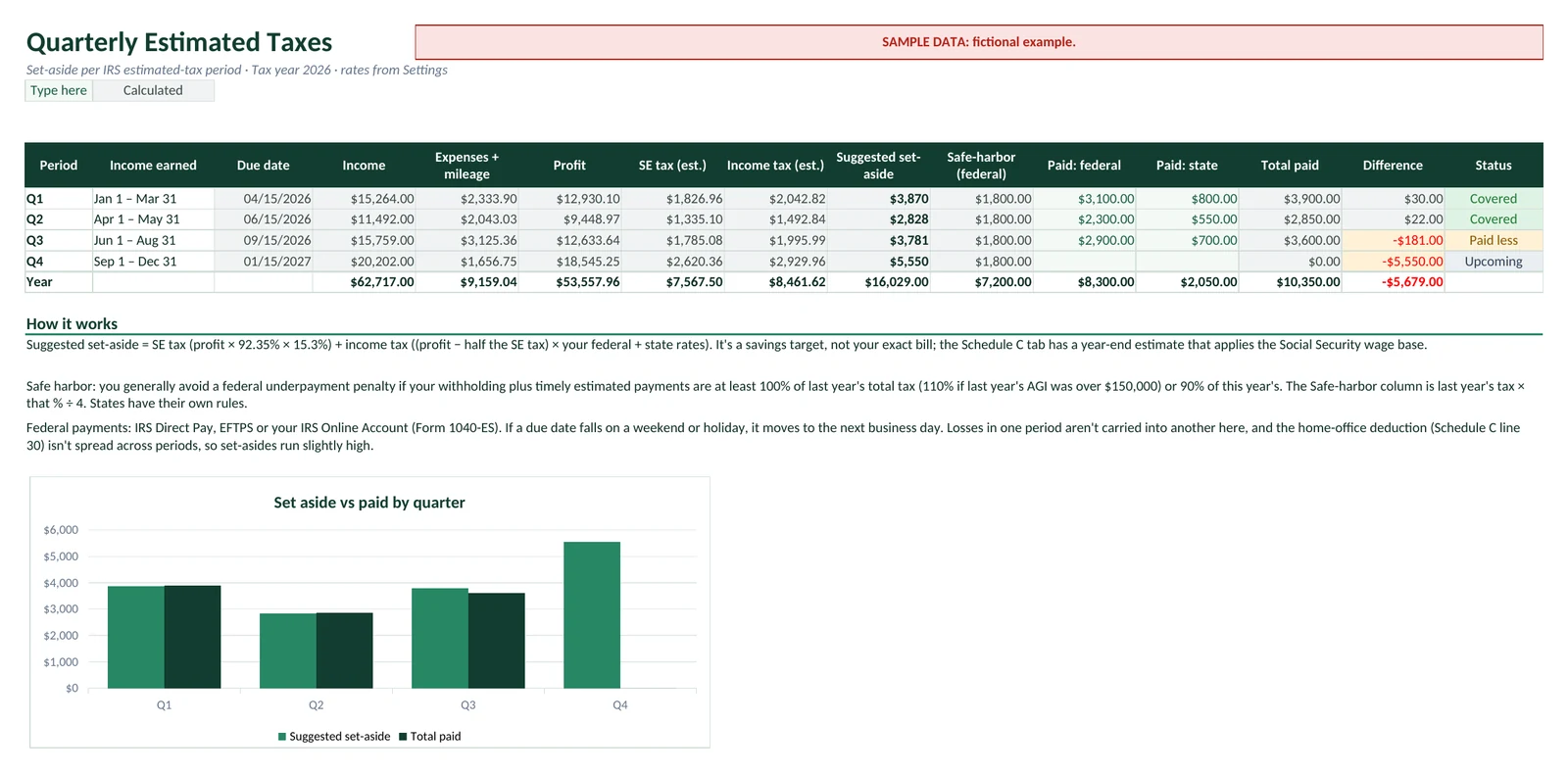
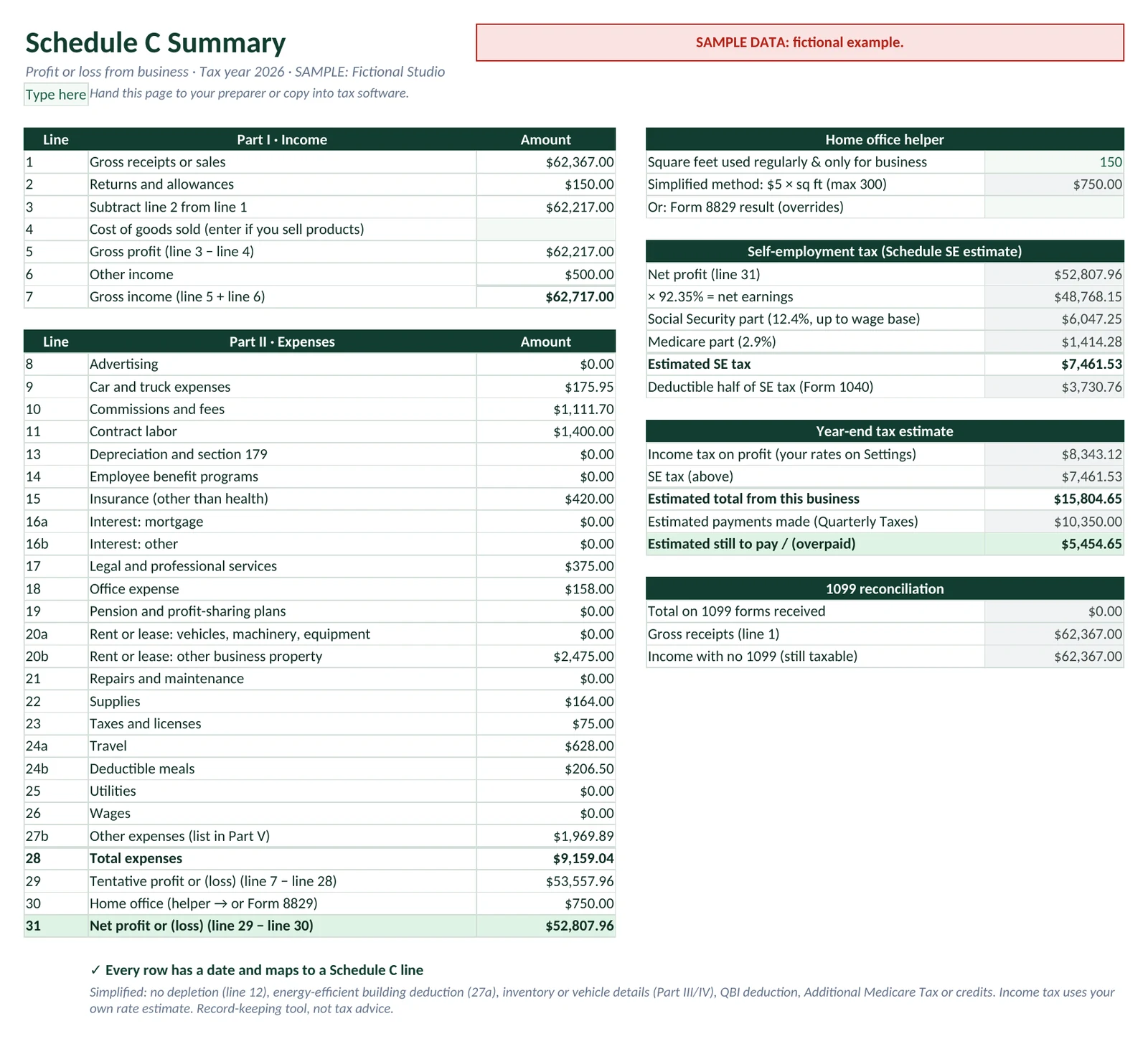
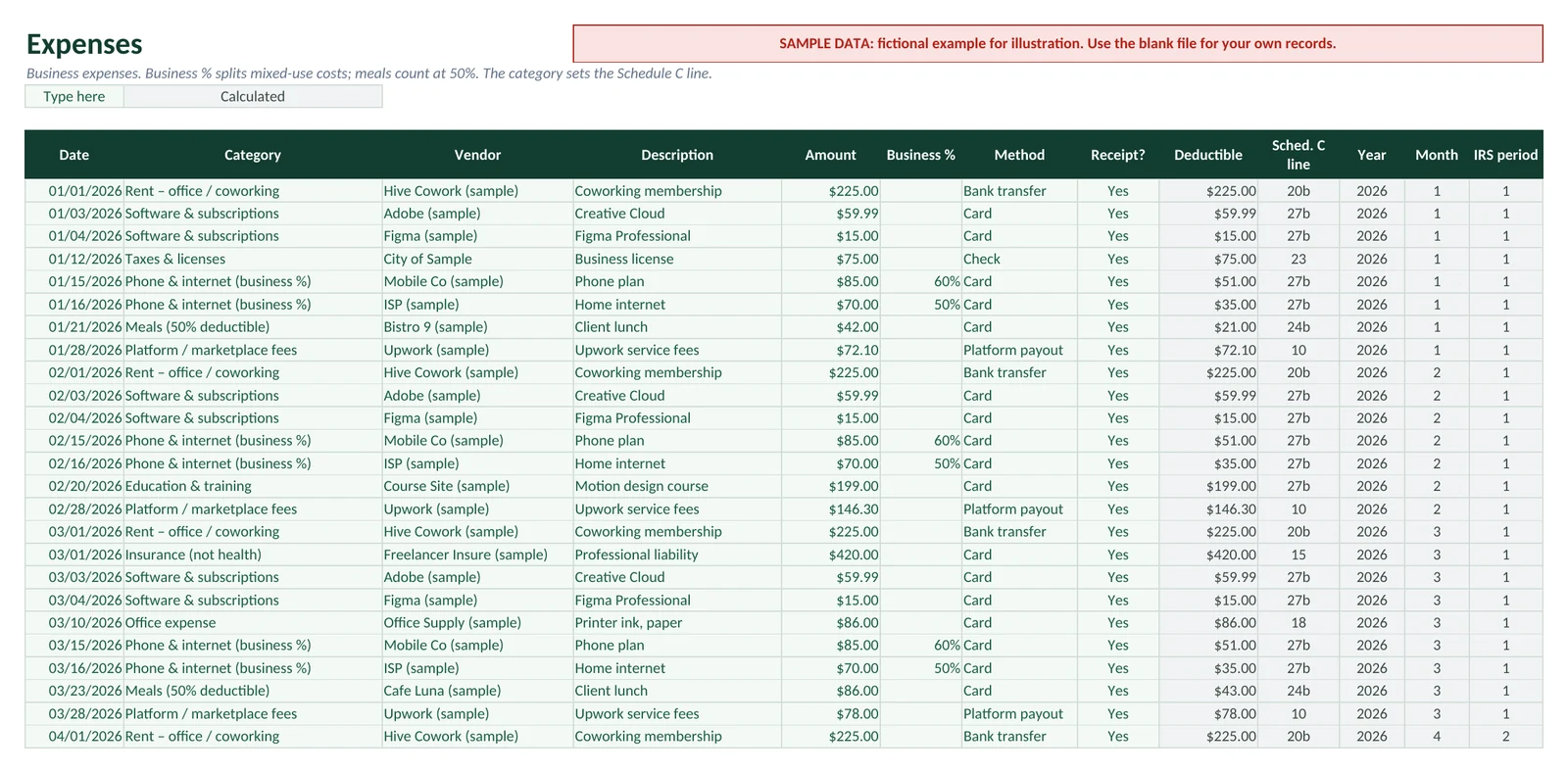
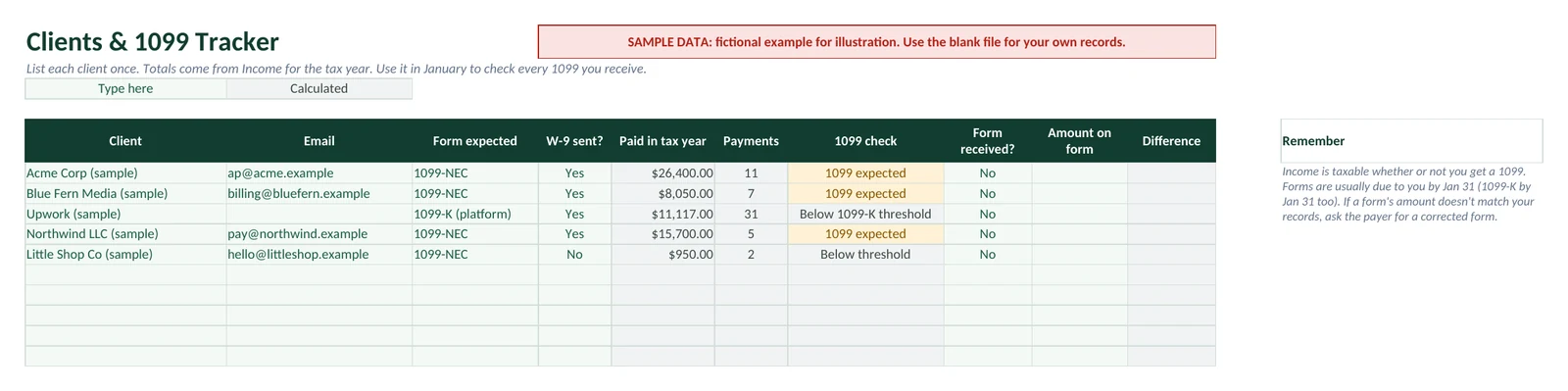
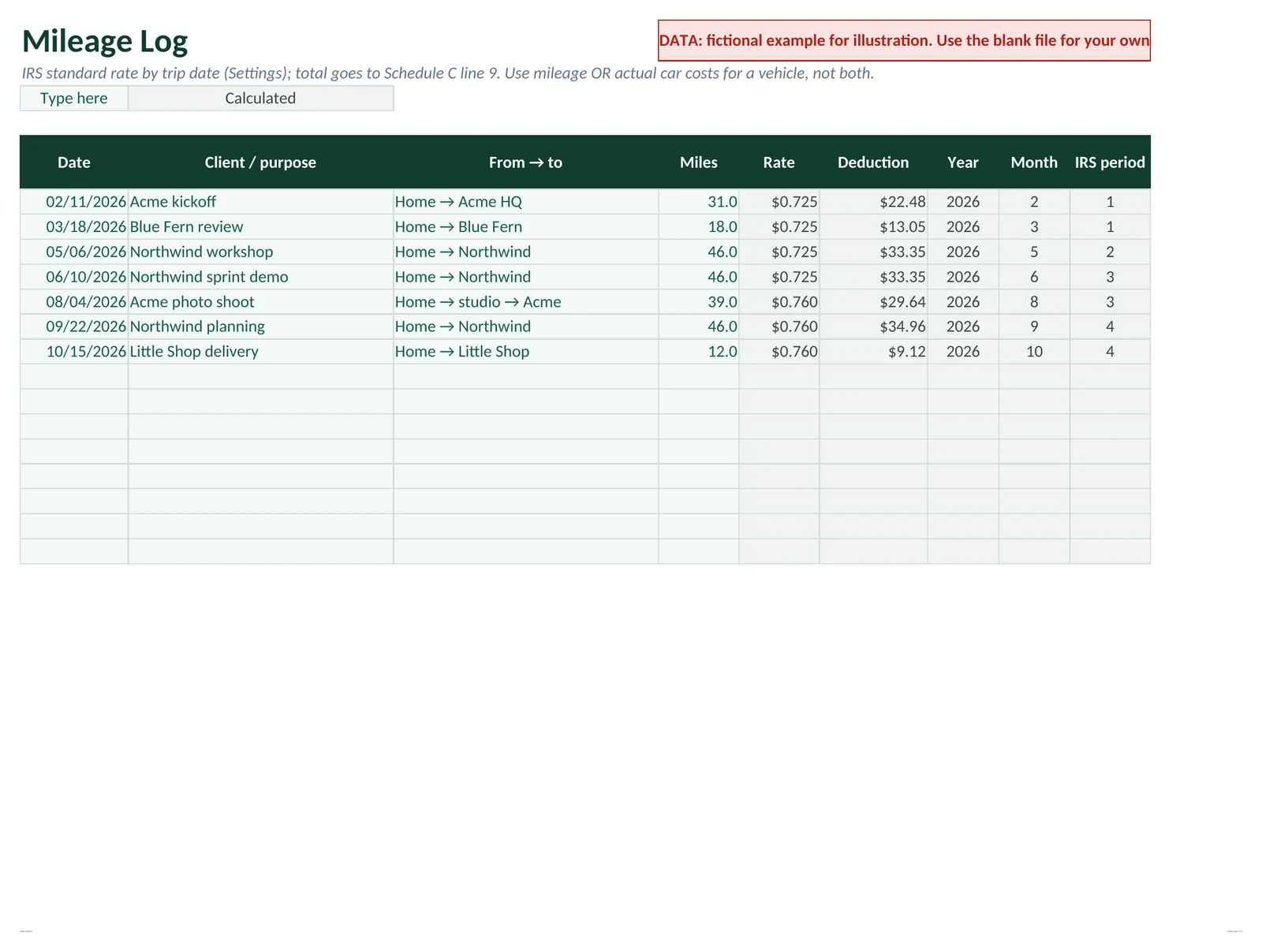
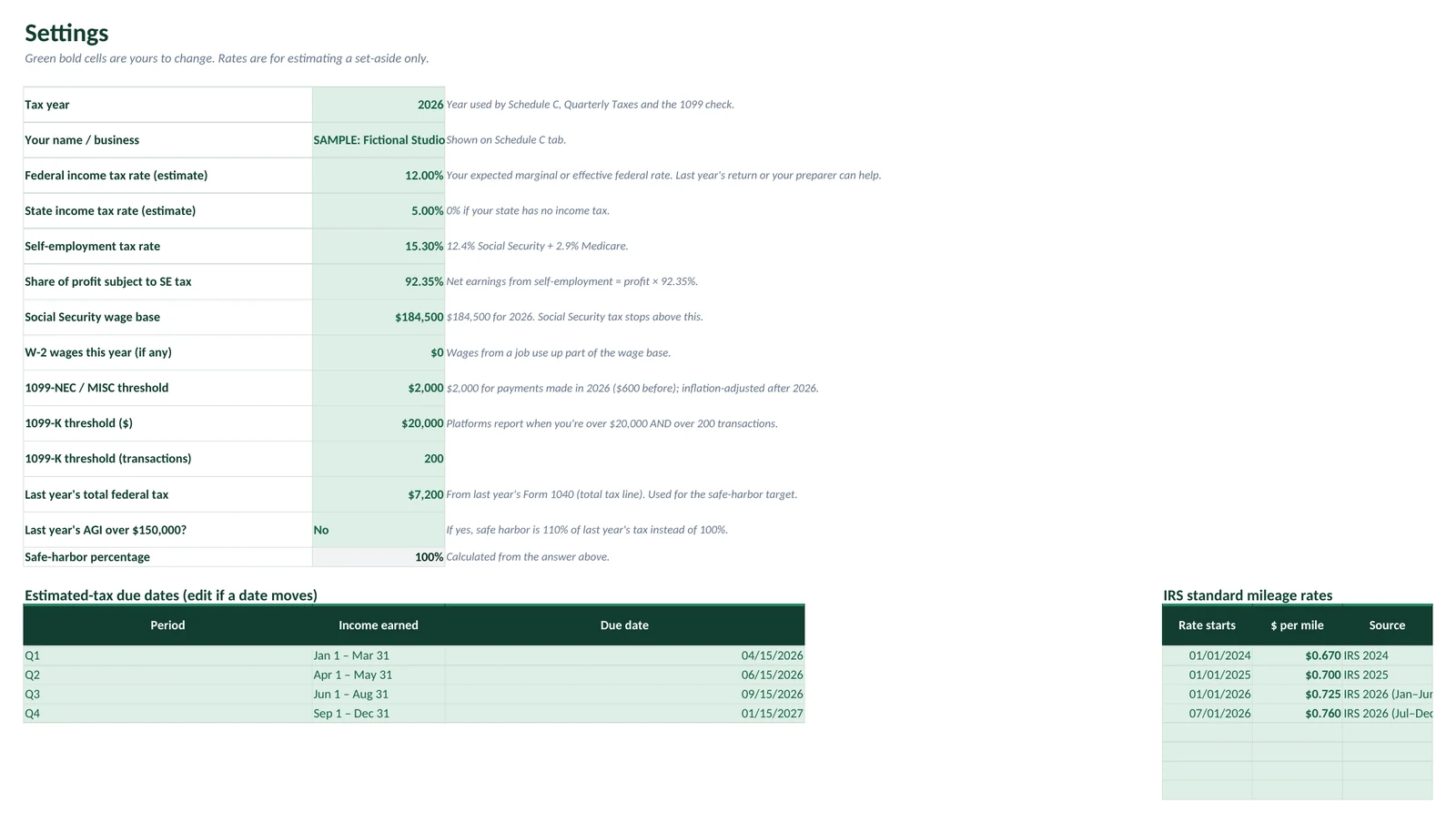
Real screenshots of the included sample file (fictional numbers). Scroll sideways for more.
Features
What it does for you
- Dashboard with year / client / month dropdowns: KPI cards plus charts for monthly income vs expenses, expenses by Schedule C line, income by client and estimated tax set aside vs paid
- Expenses map to Schedule C lines 8–27b with business-use % and meals at 50%; net profit (line 31) calculated, with a simplified home-office helper
- Quarterly Taxes tab uses the IRS periods (Jan–Mar, Apr–May, Jun–Aug, Sep–Dec): suggested set-aside, what you paid, and a status for each due date
- Self-employment tax estimate (92.35% of profit, 12.4% up to the Social Security wage base + 2.9%) and your own federal and state rates, all editable
- Safe-harbor target from last year's tax (100% / 110%), shown as a guide
- Clients & 1099s: totals per client vs the editable 1099-NEC ($2,000 from 2026) and 1099-K thresholds, plus a check against the forms you receive
- Mileage log with the IRS rate for each trip date; light-green inputs, grey locked formulas (no password), dropdowns and date checks
- Room for 800 income rows, 1,500 expenses, 400 trips and 40 clients per file; the year selectors handle multiple years
- Blank file plus a filled-in sample with fictional data
What's inside
10 tabs, one workbook
Compatibility
Built for Excel. Works in Google Sheets.
Plain .xlsx files with standard formulas: no macros, no add-ins, no internet connection needed once downloaded.
Microsoft Excel
Excel 2016 or newer on Windows and Mac, including Microsoft 365. Works offline.
Google Sheets
Open the .xlsx from Google Drive or use File > Import. Formulas carry over; Excel table styling and sheet protection may not.
LibreOffice Calc
Every formula is recalculated in LibreOffice before release, with zero formula errors.
Apple Numbers
Not tested. Numbers may not handle every formula or chart, so use Excel or Google Sheets.
How we check: before each release, every workbook is recalculated in LibreOffice with zero formula errors, and every function it uses is checked against what Excel 2016+ and Google Sheets support. We haven't tested every version of Excel by hand, so if something doesn't work as described, email support@simpletaxsheets.com and we'll fix it or refund you.
Questions
Before you buy
Is the quarterly number exact?
No. The quarterly set-aside is a simple savings target (SE tax plus your own rates) and doesn't apply the Social Security wage base; the Schedule C tab's year-end estimate does, and Quarterly Taxes shows a safe-harbor target from last year's tax. Neither includes the QBI deduction, credits or the Additional Medicare Tax. Your preparer or IRS Form 1040-ES gives the official figure.
Who is it for?
Freelancers, contractors, creators and gig workers who file Schedule C.
Does it work in Google Sheets?
It's built for Microsoft Excel (2016 or newer, Windows and Mac). In Google Sheets, upload the .xlsx to Drive and open it with Google Sheets, or use File > Import. It uses only standard functions and no macros, so the formulas carry over; Excel-only niceties like table styling and sheet protection may not. If anything looks off, email us and we'll fix it or refund you.
Is it a subscription?
No. One payment, and the files are yours. When IRS rates or line numbers change, we post an updated file, free for past buyers through their Gumroad library.
What do I get?
An instant download with two .xlsx files: a blank Freelancer & 1099 Tax Tracker for your own records and a filled-in sample with fictional data.
Refunds?
If a template doesn't work as described (for example, a formula is broken), email us within 30 days and we'll fix it or refund you in full. Full details are in our terms & refund policy.
Get the Freelancer & 1099 Tax Tracker
$15 once. Instant download, blank file plus a filled-in sample.
Or both trackers: $32 → $25 Save $7
These templates were built carefully with the help of AI tools, reviewed by Simple Tax Sheets, and are expected to be accurate. They are record-keeping tools only, not tax, legal or accounting advice. Tax rules change and we can't guarantee every result, so please check your figures and consult a qualified tax professional before filing. Full terms.